To register as a member of our site you can do so by following one of the two methods below.
First method (with your social account)
From our homepage (Figure 1) .

Figure 1
Click ‘Register’ (as highlighted in point (2) in Figure 1) and you will be automatically taken to the registration page. ( Figure 2).
To the Register page (Figure 2)
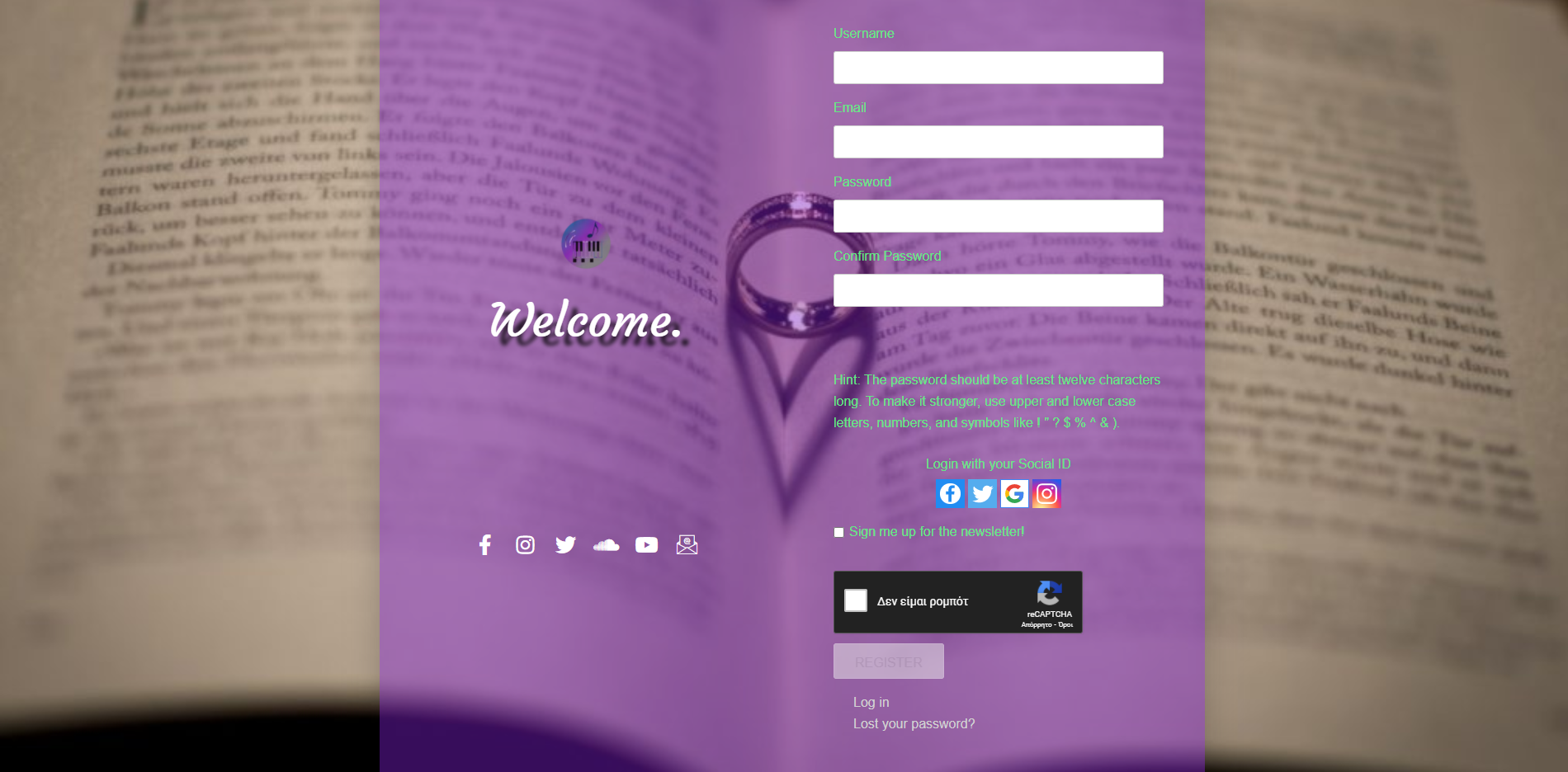
Figure 2
and if you already have a social media account, click on the icon of your choice and you will be automatically taken to the social media login page where you enter your personal information. Click log in and you have now created your account on our site.
Second method (normal)
From our homepage (Figure 1) .
Figure 1
Click ‘Register’ (as highlighted in point (2) in Figure 1) and you will be automatically taken to the registration page. ( Figure 2).
Figure 2
Enter the desired username and existing email address there, then write your password of your choice and confirm it (To make your password “Stronger” which means “Safer” take a look at Hints). Optionally check the “Sign me up for the newsletter” option if you want to receive all our news automatically in your email. Then tick the ‘I’m not a robot’ box and then click ‘Register’. You have now created your account on our site.
Dashboard

Figure 3
Once you have completed the registration, you will be automatically redirected to the Dashboard which is the page of your personal account otherwise “Μy Αccount”. (Figure 3). From here you Edit your Profile settings.
Edit Profile Page

Figure 4
To Ghange Your Password Click on Tab Generate Password (Figure 4)
Type Your New Password and Click on Tab Update Profile (Figure 5)
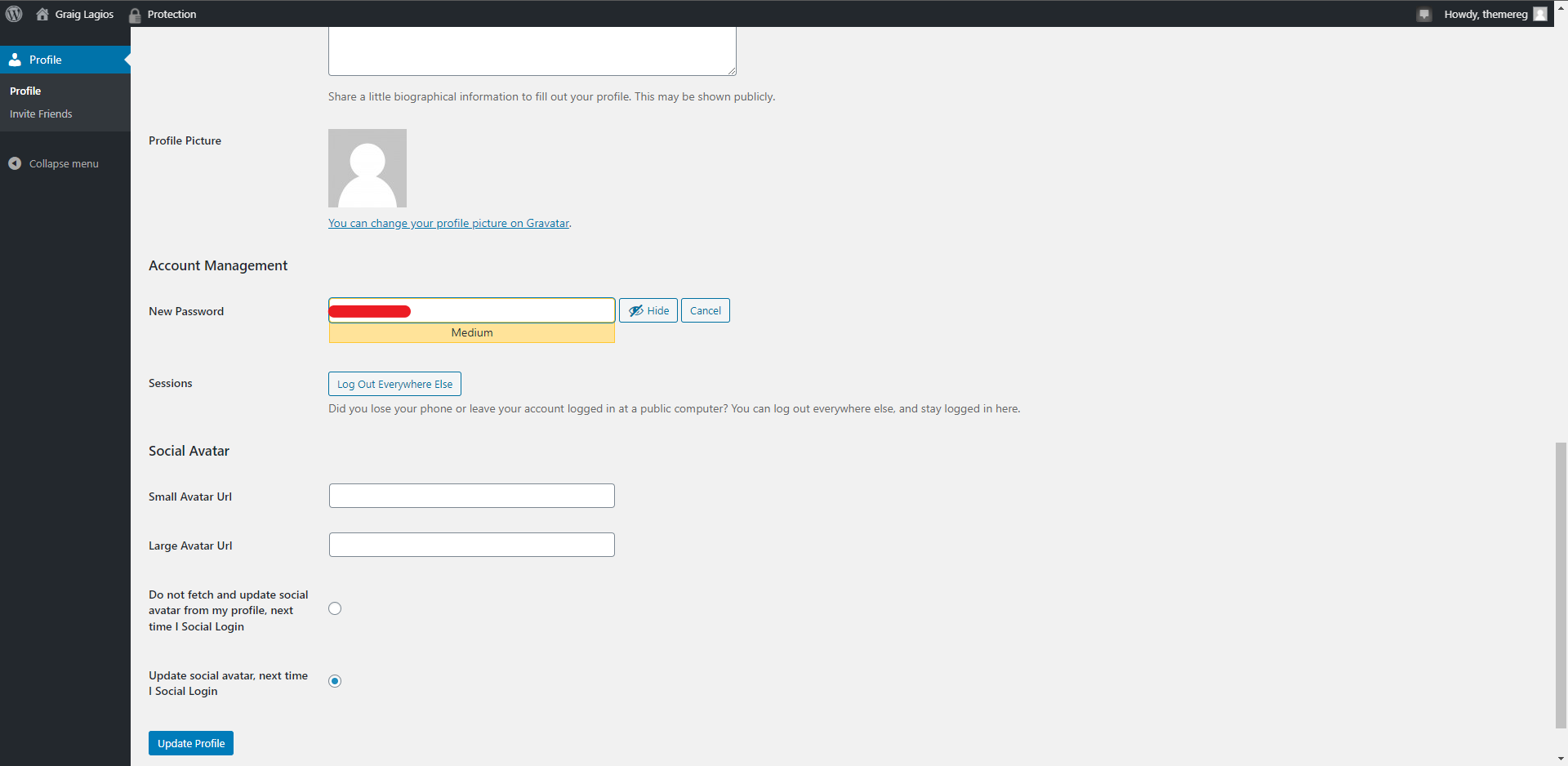
Figure 5
Invite Friends
As a registered member you can also invite your friends by email to take a look at our website and if they find what they are interested in, they can also register as a member.

Invite Friends
Contact us directly by email
For information and questions: info@graiglagios.com
For technical support: support@graiglagios.com
To contact the administrator: admin@graiglagios.com


Leave Your Comments